Databases Series: Kanopy

The logo for Kanopy Plus and Kanopy Kids.  The logo for Kanopy Plus is text in varying shades of white, orange, and red.  The logo for Kanopy Kids is images of cartoon characters around the text.

Hello!  My name is Rebecca, and I am the Information Literacy Librarian here at the Chester County Library.  (You might recognize me as the librarian with the purple hair!)  Welcome to a new series here on our blog where every week (or thereabouts) I’ll be introducing you to one of the library’s databases.  A library database, for those who are unsure, is essentially just an online resource that the library pays for so that you can access it for free with your library card!

Today, I will introduce you to Kanopy, our free streaming service.  Kanopy offers films, TV shows, documentaries, and children’s programming available to stream on-demand for free with your library card.  While the content you can find on the site won’t be the latest big blockbuster, you can find a wide and ever-growing collection of audiovisual content, from the well-known to the lesser-known, from the BBC and classic films, to anime and K-Dramas, to children’s storytimes and PBS Kids.  There’s something on there for everyone!

Want to make sure your kids access only the media appropriate for them?  Click on the Kids button in the top right-hand corner to only show Kanopy Kids programs.

Stream Kanopy on your computer, through the mobile app on your smartphone or tablet, or through the SmartTV app directly on your television.  Just add your library card, create an account with your email and a password, and you’re in!

Find Kanopy on our website by going to chescolibraries.org –> Downloads.  Click on the orange button that says “Click Here” under Kanopy Plus, and it will take you directly to Kanopy.

This post is number nine in this databases series! If you missed the previous installments, you can view them here.
Databases Series: Black Freedom Struggle

Hello!  My name is Rebecca, and I am the Information Literacy Librarian here at the Chester County Library.  (You might recognize me as the librarian with the purple hair!)  Welcome to a new series here on our blog where every week (or thereabouts) I’ll be introducing you to one of the library’s databases.  A library database, for those who are unsure, is essentially just an online resource that the library pays for so that you can access it for free with your library card!

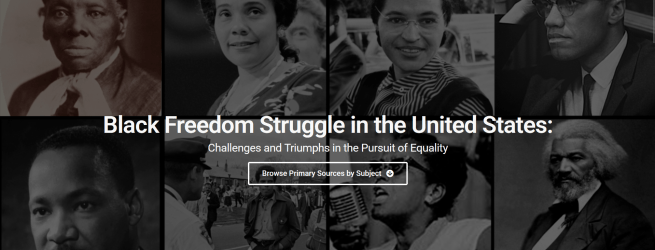
In honor of Black History Month, today I will tell you a little bit about our Black Freedom Struggle database.  This database has a curated selection of primary sources designed for teaching and learning about the struggles and triumphs of Black Americans and is available for free to everyone regardless of whether you have a library card or not.  Developed with input from Black history scholars and advisors, its easily discoverable materials are ideal for assignments and special projects focused on U.S. Black history.  Browse the materials by historical period, peruse featured documents, or use its resource guides to direct your learning.

Find Black Freedom Struggle on our website by going to chescolibraries.org –> Tools and Research –> All CCLS Databases –> B –> Black Freedom Struggle

This post is number eight in this databases series! If you missed the previous installments, you can view them here.
Databases Series: Flipster

Hello!  My name is Rebecca, and I am the Information Literacy Librarian here at the Chester County Library.  (You might recognize me as the librarian with the purple hair!)  Welcome to a new series here on our blog where every week (or thereabouts) I’ll be introducing you to one of the library’s databases.  A library database, for those who are unsure, is essentially just an online resource that the library pays for so that you can access it for free with your library card!

This week, I’d like to introduce you to Flipster.  Many of you have likely heard of Flipster, and some of you may even use it regularly.  But for those who don’t know much about it, Flipster is where you can find our collection of digital magazines. 

You can find over 100 magazine titles on Flipster, including HGTV Magazine, Rolling Stone, The New Yorker, Bon Appétit, and the Consumer Reports Buying Guide.  There are no holds; you can access any issue of any magazine at any time.  Issues will go back even as far as 2015 in some cases!  Access Flipster through your web browser or download the app on your smartphone or tablet.  Just log in with your library card number.

Find Flipster on our website by going to chescolibraries.org –> Downloads.  Click on the orange button that says “Click Here” under Read Digital Magazines, and it will take you directly to Flipster. Or go to your app store and download the Flipster app for your mobile device.

This post is number seven in this databases series! If you missed the previous installments, you can view them here.

Databases Series: Ancestry Library Edition

Hello!  My name is Rebecca, and I am the Information Literacy Librarian here at the Chester County Library.  (You might recognize me as the librarian with the purple hair!)  Welcome to a new series here on our blog where every week (or thereabouts) I’ll be introducing you to one of the library’s databases.  A library database, for those who are unsure, is essentially just an online resource that the library pays for so that you can access it for free with your library card!

Welcome to the sixth installment in the series!  If you missed the previous ones, you can find them here.  Today, I will talk a little about Ancestry Library Edition.  Many if not most of you have likely heard of Ancestry before, but if not, Ancestry is one of the leading online resources for genealogical (family history) research.  Ancestry has 30 billion records from all over the world, from census and immigration data to historical newspapers, maps, photographs, and more.  Ancestry Library Edition gets you access to Ancestry’s wealth of information as long as you are on a library computer or connected to the library’s Wi-Fi network.

Pro tip:  While you cannot create an account on Ancestry Library Edition, and thus cannot save your research to the website, you can create a free family tree account on the regular Ancestry website, so you can download records from Ancestry Library Edition and then upload them into your family tree on the main site.

Find Ancestry Library Edition on our website by going to chescolibraries.org –> Tools and Research –> All CCLS Databases –> A –> Ancestry Library Edition

For more genealogy research, you can also check out HeritageQuest or MyHeritage Library Edition.  HeritageQuest is owned by the same company as Ancestry, so you might recognize the user interface; it carries fewer records than Ancestry, but it has the collection of Freedman’s Bank records, which is unique to this resource.  MyHeritage Library Edition is a genealogy resource provided for free to all Pennsylvania library card holders through the State Library of Pennsylvania; it has 20+ billion records and is available in 42 languages.  Find HeritageQuest by going to chescolibraries.org –> Tools and Research –> All CCLS Databases –> H –> HeritageQuest.  Find MyHeritage Library Edition by going to chescolibraries.org –> Tools and Research –> All CCLS Databases –> M –> MyHeritage Library Edition.

Databases Series: Mango Languages

Hello!  My name is Rebecca, and I am the Information Literacy Librarian here at the Chester County Library.  (You might recognize me as the librarian with the purple hair!)  Welcome to a new series here on our blog where every week (or thereabouts) I’ll be introducing you to one of the library’s databases.  A library database, for those who are unsure, is essentially just an online resource that the library pays for so that you can access it for free with your library card!

This post is number five in the series!  If you missed the previous posts, you can find them here.  Continuing on the theme of New Year’s resolutions, I figured this would be another good resource to mention, specifically for those with “learn a new language” on their 2025 resolutions list.  This resource is Mango Languages.

If you know of Duolingo, Rosetta Stone, or Babbel, then you’ve essentially got the measure of Mango Languages, except with Mango you get full access with your library card without having to pay any fees for premium content.  Mango offers lessons in over 70 world languages and more than 20 English courses for second language speakers.  In these lessons, you will find not just basic vocabulary and grammar, but also specialty courses that offer a range of culturally specific topics.  Lessons can be downloaded for offline access, and you can access the program through your internet browser or the app.  Create an account to save your progress, or access it as a guest if you just want to try it out for the day.

Find Mango Languages on our website by going to chescolibraries.org –> Tools and Research –> All CCLS Databases –> M –> Mango Languages

For more language learning, you can also check out Transparent Language Online, a resource provided for free to all Pennsylvania library card holders through the State Library of Pennsylvania!  Find Transparent Language Online by going to chescolibraries.org –> Tools and Research –> All CCLS Databases –> T –> Transparent Language Online.

Databases Series: LearningExpress Library

The logo for Learning Express Library, which is text that reads "EBSCO Learning: Learning Express Library"

Hello and Happy New Year!  My name is Rebecca, and I am the Information Literacy Librarian here at the Chester County Library.  (You might recognize me as the librarian with the purple hair!)  Welcome to a new series here on our blog where every week (or thereabouts) I’ll be introducing you to one of the library’s databases.  A library database, for those who are unsure, is essentially just an online resource that the library pays for so that you can access it for free with your library card!

This post is number four in the series.  If you missed the previous posts, you can find them here.  This week, I will be talking about LearningExpress Library.  Now that 2025 is here and we’re all making our New Year’s resolutions, I’d bet that some of you have at least one resolution on your list along the lines of “learn a new skill,” “improve an old skill,” or “pass such-and-such exam.”  Raise your hand if this is you!

Well, LearningExpress Library can help you with these things and more!  It supports those looking to improve core academic skills, pass a high school equivalency test, prepare for college, explore careers, join the military, study for occupational certification tests, become a U.S. citizen, and much more.  Learning centers contain practice tests, interactive tutorials, microlessons, e-books, articles, and flashcards.  To access the learning centers, simply follow the link on our website and create an account so that you can save your progress.

Find LearningExpress Library on our website by going to chescolibraries.org –> Tools and Research –> All CCLS Databases –> L –> LearningExpress Library

Happy learning!

Databases Series: Morningstar Investing Center

Hello! My name is Rebecca, and I am the Information Literacy Librarian here at the Chester County Library. (You might recognize me as the librarian with the purple hair!) Welcome to a new series here on our blog where every week (or thereabouts) I’ll be introducing you to one of the library’s databases. A library database, for those who are unsure, is essentially just an online resource that the library pays for so that you can access it for free with your library card!

This post is number three in the series! If you missed last week’s post, you can find it here. This week, I’m going to introduce you to Morningstar Investing Center. For those of you who are investors, you might already know of or have heard of Morningstar. Morningstar is a resource that provides trusted, unbiased research, expertise, analysis, and portfolio-building tools aimed at helping all levels of individual investor. You can find authoritative information on companies, mutual funds, exchange-traded funds, and stocks alongside its other features aimed at helping you grow as a hands-on investor and active trader. For those just starting out, check out Morningstar’s Investing Classroom, which offers courses either in text or in video on various investing-related topics, from stocks, funds, and bonds to retirement and lifestyle planning and more.

Find Morningstar Investing Center on our website by going to chescolibraries.org –> Tools and Research –> All CCLS Databases –> M –> Morningstar Investing Center

*Please note that the library’s subscription only allows for a limited number of concurrent users. Please sign out when you’re not actively using it to allow others to access the resource.

Databases Series: Comics Plus

Hello! My name is Rebecca, and I am the Information Literacy Librarian here at the Chester County Library. (You might recognize me as the librarian with the purple hair!) Welcome to a new series here on our blog where every week (or thereabouts) I’ll be introducing you to one of the library’s databases. A library database, for those who are unsure, is essentially just an online resource that the library pays for so that you can access it for free with your library card!

Last week I went over NoveList Plus. If you missed that post, you can check it out here! This week, I’m going to tell you a bit about one of our newer databases: Comics Plus. Comics Plus is a resource that offers unlimited access to thousands of digital comics, graphic novels, and manga from a wide range of publishers, including BOOM! Studios, Dark Horse, Europe Comics, Fantagraphics, Image Comics, Kodansha, Papercutz, Yen Press, and dozens more. For those of you who are used to reading eBooks on Libby, Comics Plus will be a nice change as there are no holds, no wait lists, and no borrowing limits. Download the mobile app to your device or go to the website on your browser. Just log in with your library card, and you’ll have access to the whole collection!

Looking to get your kids set up with Comics Plus? The full collection includes some graphic content, so be sure to check out our curated collections for children or teens as well as Comics Plus’s Age-Appropriate Guidelines.

Find Comics Plus on our website by going to chescolibraries.org –> Tools and Research –> All CCLS Databases –> C –> Comics Plus

Databases Series: NoveList Plus

Hello! My name is Rebecca, and I am the Information Literacy Librarian here at the Chester County Library. (You might recognize me as the librarian with the purple hair!) Welcome to a new series here on our blog where every week (or thereabouts) I’ll be introducing you to one of the library’s databases. A library database, for those who are unsure, is essentially just an online resource that the library pays for so that you can access it for free with your library card!

First up, we have NoveList Plus. NoveList Plus is what us librarians call a Readers’ Advisory resource. Readers’ Advisory is a service offered by libraries and other organizations that involves suggesting books to readers. We use NoveList to help us out, for example, when someone asks us for suggestions for books in a genre outside of what we normally read, or when we’re looking for a book or author that’s similar to another book or author.

But it’s not only a resource for us; you can easily use it, too! NoveList excels at connecting readers with books that match their reading preferences and moods. Check out its appeal mixer, which allows you to browse by various appeal category combinations, or look through some pre-mixed combinations of appeals. View lists of award winners, popular genres, audiobooks, books that have been made into movies or TV shows, and more. Find resources for your book club, genre guides, articles, read-alikes, and featured content for kids of varying age groups. Looking to find the next book in a series, a list of all the books written by your favorite author, or the publication date for a yet unpublished book? You can find those on NoveList as well!

Play around with it, and maybe you’ll find your next favorite read!

Find it on our website by going to chescolibraries.org –> Tools and Research –> All CCLS Databases –> N –> NoveList Plus

January Adult Book Groups

The Chester County Library Evening and Afternoon Book Discussion groups have returned to in person meetings. The other groups are remaining virtual.  Please see our January titles and dates below. The online groups are being held via Zoom. We are requiring registration for these online book groups in order to send out the Zoom meeting information. Click on the date below to register. Information on our adult book groups can also be found on our website: https://bit.ly/chescolibs-bookgroups. 

Evening Book Group
Monday, January 3, 6:30 p.m. – 7:30 p.m.
The Library Book by Susan Orlean
This session will be held in person in the Burke Room at the Chester County Library. Please note the new starting time of 6:30 p.m.

Page Turners Book Group
Thursday, January 13, 1:00 p.m. – 2:00 p.m.
Where the Crawdads Sing by Delia Owens

Whodunits Book Group
Wednesday, January 19, 1:00 p.m. – 2:00 p.m.
The Name of the Rose by Umberto Eco

Afternoon Book Group
Wednesday, January 19, 1:30 p.m. – 2:30 p.m.
Leave the World Behind by Rumaan Alam
This session will be held in person in the Burke Room at the Chester County Library. 

Comics Unbound Group
Monday, January 24, 7:00 p.m. – 8:30 p.m.
Guardians of the Louvre by Jirō Taniguchi

Registration is required for all book groups. Registration will close at least 2 hours prior to the scheduled start time of the book group. A Zoom link will be emailed to registrants 2 hours before the book group starts.  Make sure to check the email address you registered with to receive the link.  You do not need a Zoom account to attend the virtual book group.

These programs support the PA Forward Civic and Social Literacy Initiative.