
Happy Global Accessibility Awareness Day! In honor of this, today I will be talking a bit about assistive technology. Assistive technology is a general term for any device that helps make the world more accessible for those with disabilities and the elderly. Even things you might not consider assistive technology might be to someone, such as audiobooks. Here at the Chester County and Henrietta Hankin Branch Libraries, we have a growing collection of assistive devices targeted towards making the libraries more accessible spaces. You can see the full list (current as of this post) below, but first, I will highlight a few that you may not be aware that we have.
Hearing Loop

We have a hearing loop (also called an induction loop or hearing induction loop) installed in our Struble Room at the Chester County Library that allows hearing aids, cochlear implants, and other compatible receivers to connect to our sound system via telecoil (often shortened to t-coil). A hearing loop is essentially just a large wire that gets buried under the carpet or otherwise placed around the borders of a room in a loop that gets wired into a sound system. Then, any sound that runs through the sound system (for example: spoken into the microphone) gets fed into the hearing loop that sends out a signal that any t-coil enabled devices can pick up. You must be within the loop in order for it to work (so for example, you can’t leave the Struble Room to go to the bathroom without it disconnecting as soon as you step out the door), but the sound quality is better than the quality you get with a Bluetooth device and also has none of the lag.
There are a couple options for connecting to our hearing loop at the Chester County Library. First is simply by turning on the t-coil in your device while in the Struble Room. On most hearing aids, for example, there is a little switch that may or may not be labeled that will turn on or off the t-coil. If your device is not t-coil enabled, we have a receiver that you can wear around your neck that will connect to it. You can plug headphones into it or connect to it via Bluetooth (for example, if you have a Bluetooth-only hearing aid). This receiver is available to anyone who asks for it regardless of disability status, so feel free to ask us about it!
Brailler

A traditional Brailler is a braille typewriter (also called a braille embosser) that allows a person to type in braille as you would with a typewriter. The model that we have at the Chester County Library is both a braille typewriter and a braille printer. This means that, not only can you type in braille, but you can also print pages of text from the internet. The process of printing, however, is trickier than you might imagine.
Many people assume braille is one to one – one letter to one braille character – but this is just level one braille. Writing in only level one braille is roughly equivalent to using alphabet signs in sign language to spell out each and every word of a sentence. Higher levels of braille make use of contractions, which are shorthand forms of commonly used words or combinations of letters, such as the single character used to represent the word “and”. However, these shortcuts are often situational. In order to print a page of online text, you have to run the text through transcription software, which is like the braille version of a word processor like Microsoft Word, and then print from there, but this potentially introduces errors if you don’t have a person who reads braille and understands the situation proofreading the transcription. That’s not to say it isn’t useful or even readable; it might turn out similar to a document with a bunch of spelling or grammar errors, but that’s still understandable and might still be incredibly valuable for a reader of braille.
We recommend our Brailler to people working on getting their braille certification, those looking to come in and print something in braille to bring home for a person who reads braille, and, of course, for people who are blind or have low vision who read braille. We have braille paper available for use, or you can bring in your own paper. Our Brailler is in the makerspace at the Chester County Library.
Orcam MyEye
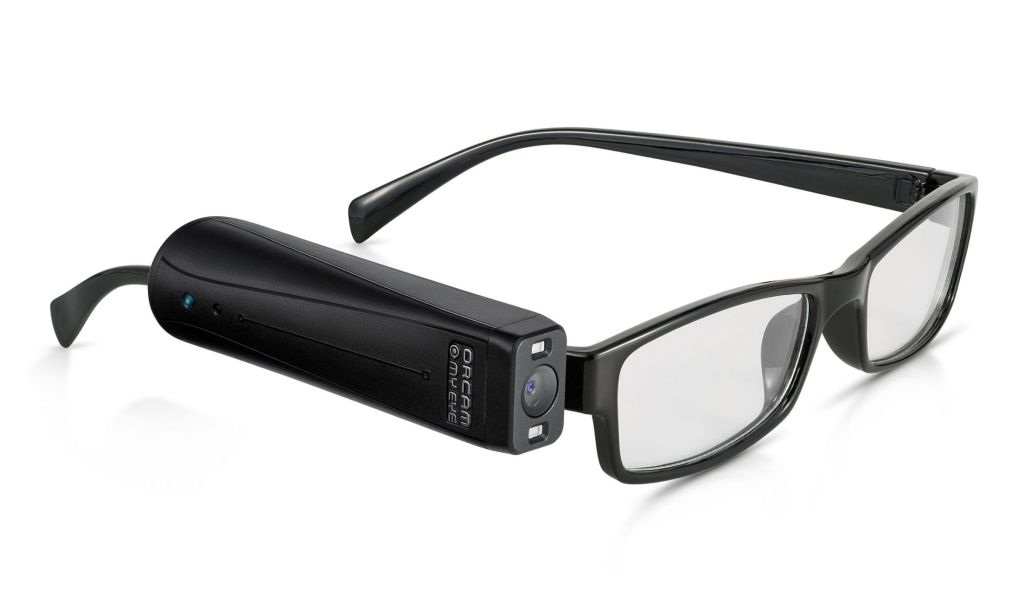
The Chester County Library has an Orcam MyEye, funded by the Lions Club and available from the Reference Desk upon request, which is a device that functions as a guide for people who are blind or who have low vision. The device is about the size of lipstick tube. It’s meant to be situated at eye level, so we have a pair of nonprescription glasses that we lend out with it that it will attach to via magnet. Once turned on and situated appropriately, the device can verbally describe your surroundings, read printed text, clocks, and money, and so on. It does so by recognizing your gestures (for example, if you point at an object, it will tell you what that object is, or if you point at a line of text, it will read it out loud) or by understanding certain tap sequences on its sensor (for example, slide forward, slide back, tap once, etc.).
It has trouble recognizing computer screens, but the better option for this is screen reading software, which we have upstairs in our Jacobs Technology Center (JTC). PC 16 in the JTC has JAWS and ZoomText, which were gifted to us by the Chester County Association for the Blind and Visually Impaired (CCABVI).
Video Magnifiers
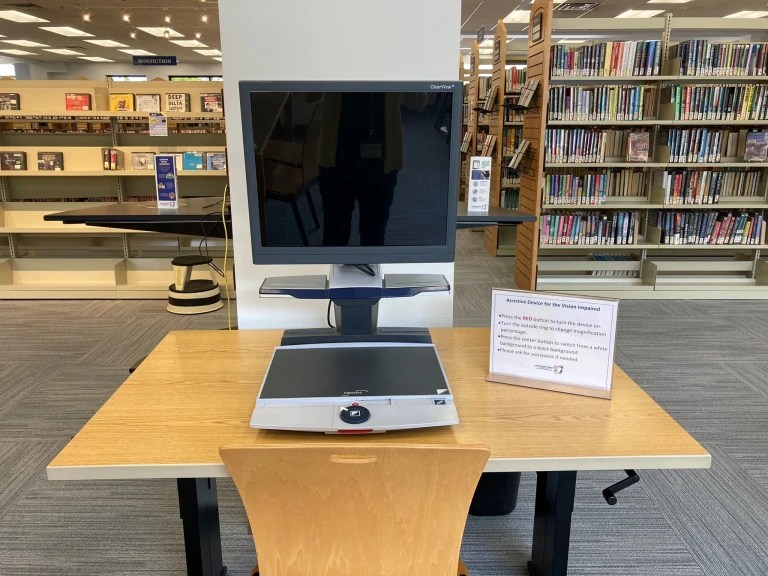
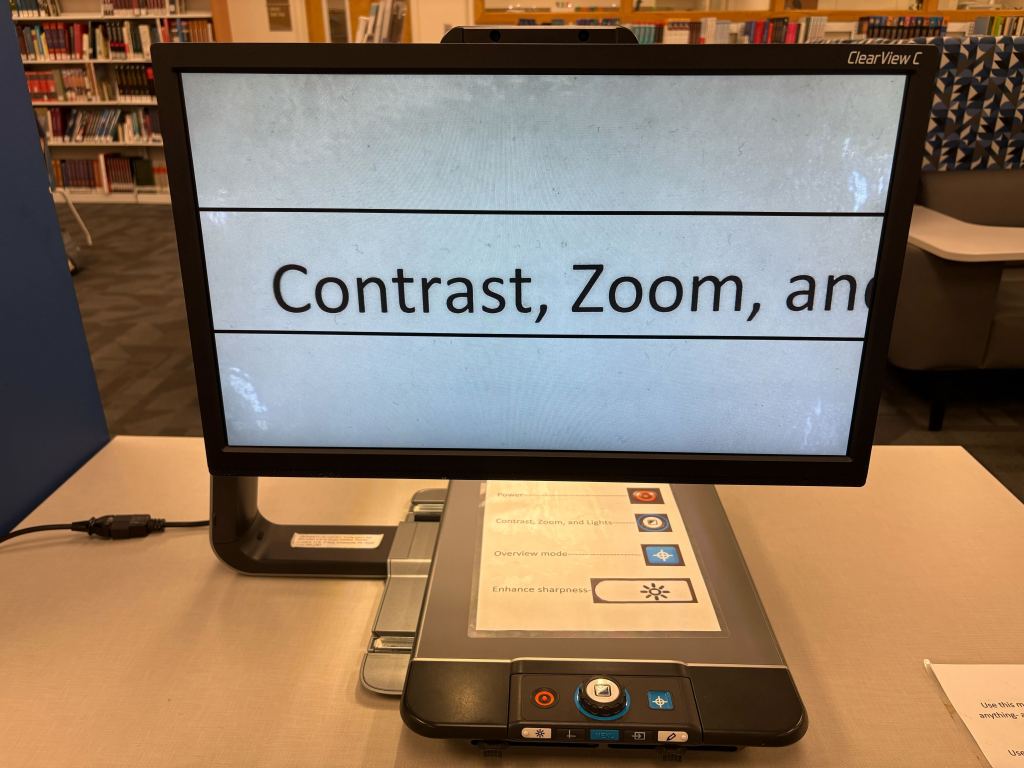
A video magnifier is a device that looks similar to a modified computer screen that can magnify physical objects, especially text, to massive sizes without losing quality, similar to how a digital microscope or telescope works. It can also change contrast and color to various presets for common visual disabilities, or you can specify your own custom settings to accommodate your specific disability or neurodiversity. You can also plug a device into it and use it as a monitor that can zoom in to far greater sizes than your standard computer can and without altering the formatting like you might if you use your browser’s built-in zoom function.
We have two video magnifiers available for use at any time, one at the Chester County Library and the other at the Henrietta Hankin Branch Library.
See the full list here:
- Hearing Loop (CCL)
- Brailler (CCL)
- Orcam MyEye (CCL)
- Video Magnifier (CCL, HHB)
- JAWS software (CCL)
- ZoomText software (CCL)
- Touch screen PC (CCL, HHB)
- Track ball mouse (CCL, HHB)
- Large print, high contrast keyboard (CCL, HHB)
- Touchpad (CCL)
- Micro keyboard (CCL)
- Key guard (CCL)
 Stay Connected with Chescolibraries